portable GPIO expansion
Cardputer ADV GPIO pinout and portable ESP32 tools
Use M5Stack Cardputer ADV as a portable ESP32-S3 tool with screen, keyboard, battery and more practical external GPIO than the classic Cardputer. Check the GPIO pinout before wiring SPI, I2C, UART or module tests.
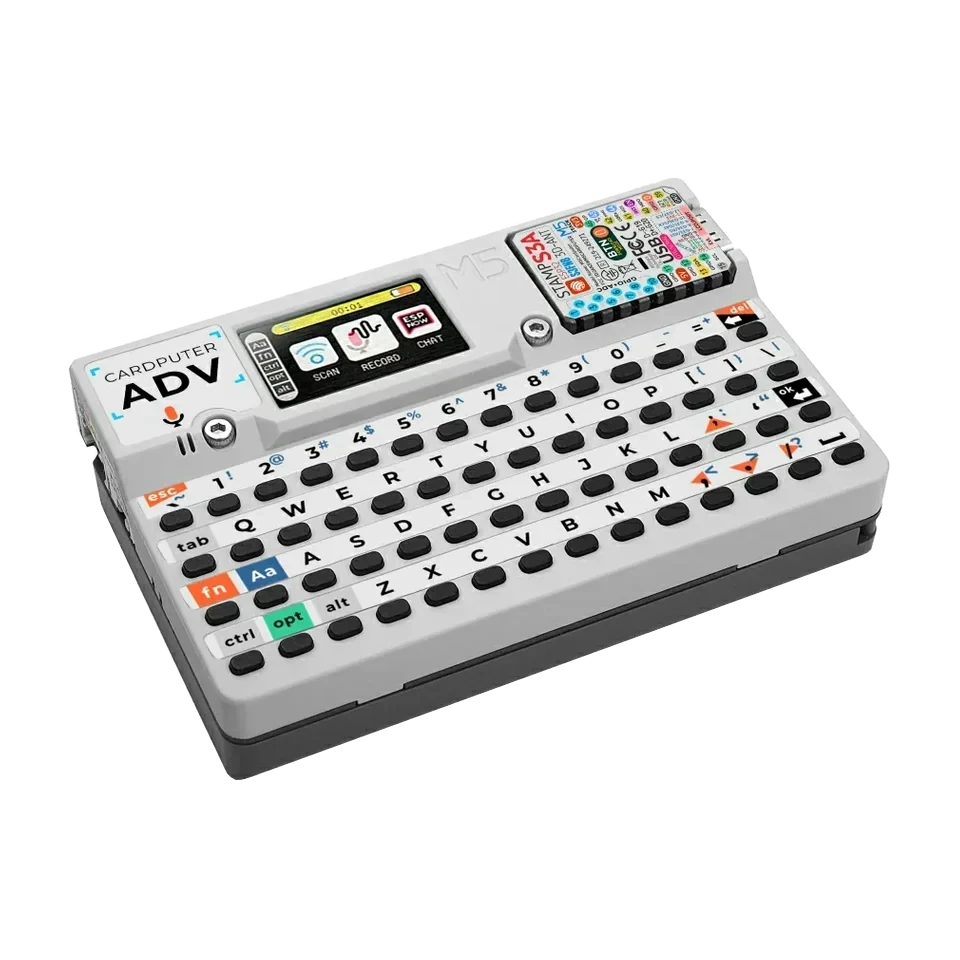
Board-specific guide for M5Stack Cardputer ADV firmware, exposed GPIO access, wiring notes and portable ESP32-S3 workflows.
wiring references
Cardputer ADV pinout, side ports and board photos
Four wiring references for Cardputer ADV pinout checks, side I/O labels, rear labels and the 2x7 header map.
compatibility
Cardputer ADV board overview
Use this page to judge Cardputer ADV for portable ESP32 Bit Pirate work when more exposed GPIO matters.
practical tasks
Cardputer ADV supported workflows
Cardputer ADV keeps portable keyboard-and-screen work practical while leaving more room for UART, I2C, SPI and GPIO wiring than classic Cardputer.
Use the keyboard and screen for field checks while still connecting to browser tools over USB.
Use the exposed GPIO for sensors, EEPROMs, SPI devices and module checks in a portable setup.
Run pulse, measure, listen and automation tasks when compactness still matters.
IR TX and SD-card style storage remain helpful for quick capture/replay and file tasks.
Cardputer ADV pin mapping and wiring notes
Treat onboard display, keyboard, SD and audio pins as reserved. The wiki lists Grove as GPIO1/GPIO2 and the ADV header as GPIO3/GPIO4/GPIO5/GPIO6/GPIO8/GPIO9/GPIO40/GPIO15/GPIO14/GPIO13, so verify the default firmware mapping before wiring target hardware.
Always verify voltage and pin mapping before connecting a target. The ESP32-S3 side is not 5 V tolerant unless external level shifting or the Dock path is used correctly.
useful pages
Cardputer ADV useful next pages
Jump from Cardputer ADV to protocol pages, recipes and tools for portable GPIO, serial and bus work.
Protocol modes
Open the protocol overview before choosing pins and commands.
I2COpen the protocol overview before choosing pins and commands.
SPIOpen the protocol overview before choosing pins and commands.
DIO/GPIOOpen the protocol overview before choosing pins and commands.
InfraredOpen the protocol overview before choosing pins and commands.
Useful recipes
Use the task guide for wiring, commands and troubleshooting.
Bridge UART consoleUse the task guide for wiring, commands and troubleshooting.
Read SPI flash JEDEC IDUse the task guide for wiring, commands and troubleshooting.
Capture infrared remoteUse the task guide for wiring, commands and troubleshooting.
Tools and hardware
Open Web Serial for Cardputer ADV CLI sessions after flashing.
Web FlasherFlash the matching Cardputer ADV build from a compatible browser.
Hardware ecosystemCheck docks, adapters and wiring hardware that pair with Cardputer ADV.
Modules and target chipsBrowse chips and breakout modules that make sense with Cardputer ADV wiring.
board-specific answers
Cardputer ADV FAQ
Quick Cardputer ADV answers about portability, exposed GPIO, browser tools and charging.
Why choose Cardputer ADV over classic Cardputer?
Choose Cardputer ADV when you want the portable Cardputer interaction with more available GPIO for hardware experiments.
Is it still portable enough for field checks?
Yes. It keeps the screen and keyboard workflow that makes Cardputer-style boards useful outside a fixed bench.
When should I still use an ESP32-S3 DevKit?
Use an ESP32-S3 DevKit when you want labeled headers, Dock wiring or many simultaneous target signals. Use Cardputer ADV when the integrated screen, keyboard and portable workflow matter.
Does ESP32 Bit Pirate support browser tools on this board?
Yes, use the Web Flasher and Web Serial compatible workflows when the board is connected by USB.
Why isn't my Cardputer charging?
Set the power switch to ON. The battery charges only when this switch is in the ON position.
How do I enter download mode?
Set the side power switch to OFF. Hold G0, connect the USB-C data cable, then release G0 after the device powers up.
source project
Cardputer ADV in the ESP32 Bit Pirate ecosystem
ESP32 Bit Pirate on Cardputer ADV keeps the keyboard-and-screen workflow while adding more practical GPIO access for portable hardware experiments.