GPIO logic-level checks
Confirm whether a line is high, low, floating or unsafe before assigning it to a protocol mode or driving it as an output.
ESP32-S3 GPIO and digital I/O debugging
ESP32 Bit Pirate turns a compatible ESP32-S3 board into a GPIO, DIO, PWM and servo debugging workbench. Use it to list pins, read logic levels, scan active pins, pulse outputs, measure frequency, generate PWM and test simple digital devices.
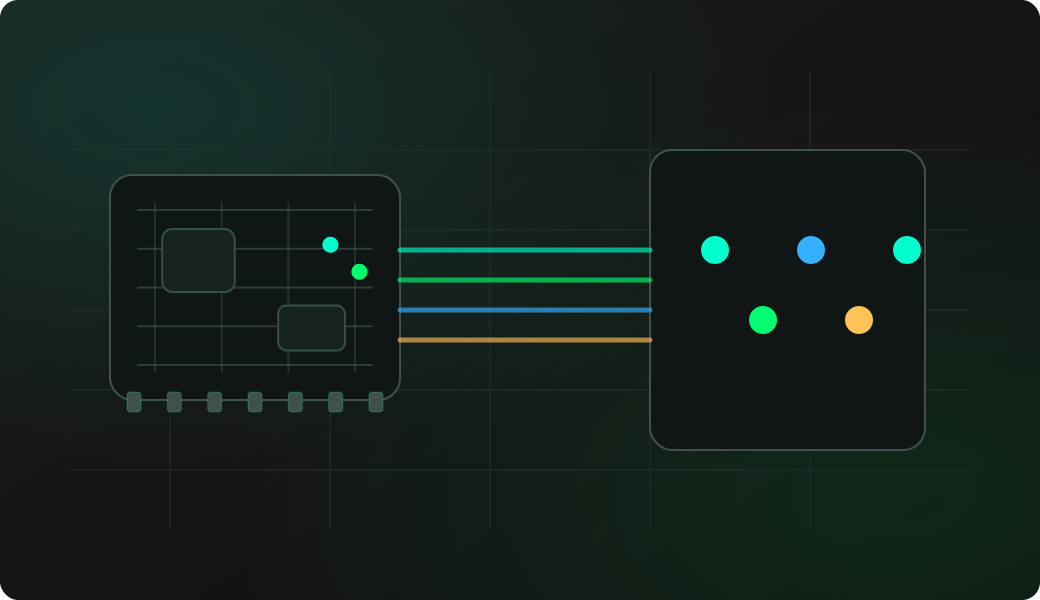
Start with passive checks, confirm the pin is safe, then move to output, pulse, PWM or servo tests only when the wiring and target logic level are understood.
Check the board pinout and choose a GPIO that is exposed, safe and not already reserved by onboard hardware.
Connect common ground first, then connect only the signal you want to inspect.
Start DIO mode and read the pin state before driving anything from the ESP32.
Use scan, sniff or measure to decide whether the line is idle, active, clock-like or better suited to a logic analyzer capture.
Use pulse, toggle, PWM or servo output only on inputs that are safe for 3.3 V ESP32 GPIO levels.
mode dio
pins
read 21
sniff 22
measure 5 2000
pulse 1 50
pwm 5 1000 75
reset 5
Example CLI flow. See the DIO wiki for exact syntax, protected GPIO notes and firmware-specific behavior.
Use this overview to choose the right digital I/O workflow before opening a detailed recipe.
Confirm whether a line is high, low, floating or unsafe before assigning it to a protocol mode or driving it as an output.
Use pin scans and quick triage workflows to find lines that are changing before trying UART, I2C, SPI or a full logic capture.
Log rising and falling edges from the CLI when the main question is whether a pin is alive and changing.
Generate short reset, trigger, enable or timing pulses without writing a temporary sketch for the ESP32.
Count transitions over a short window to decide whether a signal behaves like a clock, interrupt or periodic output.
Generate simple PWM or servo-style control signals for lab inputs, LED drivers, optocouplers and externally powered servo tests.
DIO mode is often the first stop before picking a real protocol. It answers whether a line is safe, exposed, idle, active or worth capturing in more detail.
Use basic pin reads, scans and edge sniffing to decide whether a test pad looks like GPIO, clock, interrupt, reset or a protocol signal.
Use pulse, toggle or PWM when you need a quick signal generator for a reset input, enable line or simple timing experiment.
Many failures come from wrong GPIO selection, missing ground, unsafe voltage levels, floating inputs or onboard peripherals using the same pin.
Digital I/O looks simple, but wrong voltage, direction or pin selection can damage hardware or hide the real problem.
ESP32 GPIO is 3.3 V logic. Use the supported level-adaptation path before working with 1.8 V or 5 V targets.
Start as input when probing unknown hardware. Only drive a line after confirming that the target input can safely accept the signal.
Logic reads, pulses, PWM and frequency checks need a shared reference between ESP32 Bit Pirate and the target circuit.
Some GPIOs may be reserved, not exposed or connected to onboard screen, SD card, buttons, USB or radio hardware depending on the board.
Most digital I/O issues are wiring, direction, level or timing problems. Check these before assuming the target firmware is wrong.
Check whether the line is pulled up, pulled down, floating, held by another device or using an unexpected idle state.
Verify the target action is really happening, the selected GPIO matches the physical pin and common ground is connected.
Increase pulse width, confirm the target input threshold and use a logic analyzer when the pulse is too short to observe from the CLI.
Power loads externally, share ground, avoid driving motors from GPIO and reset the pin after testing.
Use DIO measurement as a rough check. Move to SUMP, PulseView or the Web Logic Analyzer when precise timing matters.
DIO workflows depend on exposed pins. Pick a board with enough accessible GPIO before planning pulses, frequency checks or unknown-pin discovery.
Use the DevKit board page for the broadest GPIO access and Dock-friendly wiring.
StampS3, M5StickS3 and XIAO ESP32-S3 can work well when the pin budget fits the fixture.
These pages are the task-level digital I/O workflows. This overview keeps the protocol-level guidance here, while each recipe covers wiring, commands and troubleshooting in detail.
This page is a protocol overview. Use the site index for the full web experience, or GitHub for source code, firmware documentation and the DIO command reference.
Flash a supported ESP32-S3 board before testing DIO/GPIO mode from the browser.
Open Web FlasherOpen the maintained firmware wiki for DIO mode commands, examples and hardware notes.
Open DIO command referenceCheck compatible boards and exposed GPIO notes before wiring a target signal.
Compare supported ESP32-S3 boardsOpen Web Serial for DIO/GPIO commands after the matching firmware is running.
Open Web Serial Terminal for ESP32 Bit PirateUse the browser-based BPIO2 tool for direct GPIO experiments from the web interface.
Open Bit Bang GPIO browser controllerMove from quick DIO checks to waveform capture when timing, duty cycle or protocol shape matters.
Open Web Logic AnalyzerBrowse recipes that connect DIO/GPIO work to wiring, commands, captures and troubleshooting.
Browse all hardware debugging recipesCheck firmware source, issues and releases that affect DIO/GPIO support.
Open GitHub repositoryShort answers for common questions before moving into a detailed workflow.
Yes. DIO mode can show pin states, read a selected GPIO and scan for active lines before you choose a protocol-specific workflow.
Yes. DIO mode includes pulse, toggle, PWM and servo-oriented workflows for controlled bench tests on compatible signal inputs.
DIO mode is useful for quick checks such as levels, edges and rough frequency. Use the logic analyzer workflow when you need accurate timing or waveform capture.