pinout and GPIO wiring
XIAO ESP32-S3 pinout and GPIO wiring
Check the Seeed Studio XIAO ESP32-S3 pinout before wiring modules or targets. This compact ESP32-S3 board exposes enough GPIO for small UART, I2C, SPI and GPIO fixtures, but the XIAO form factor needs careful pin planning.
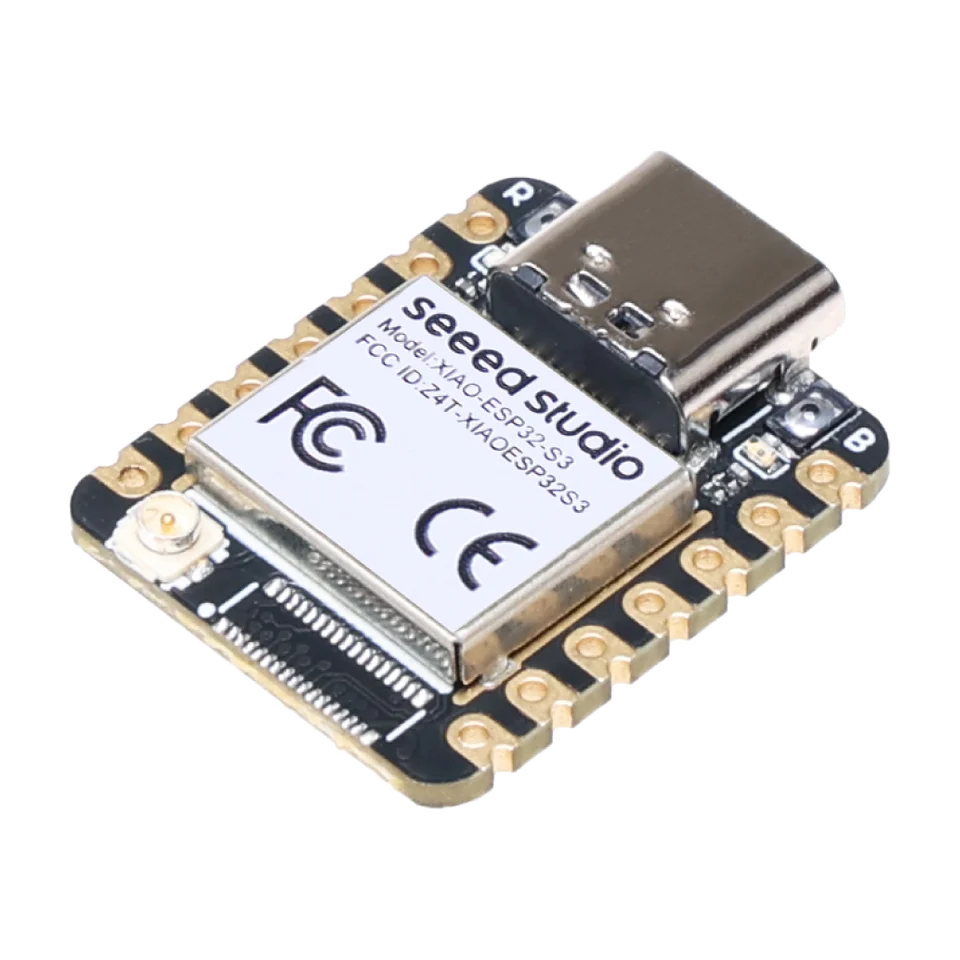
Board-specific guide for Seeed Studio XIAO ESP32-S3 firmware, tiny USB fixtures, breadboard wiring and exposed-pin wiring.
wiring references
XIAO ESP32-S3 pinout, pin functions and board photos
Four wiring references for XIAO ESP32-S3 pinout checks, pin functions, antenna/boot controls and rear solder-pad labels.
Bit Pirate use
Best XIAO ESP32-S3 pins for ESP32 Bit Pirate wiring
The XIAO ESP32-S3 is useful even outside ESP32 Bit Pirate, but its small pin budget makes pin choice matter before wiring UART, I2C, SPI or modules.
Use the labeled TX/RX pins for serial console, bridge and adapter recipes, then verify the target voltage before connecting.
Use the labeled SDA/SCL pair for scanners, EEPROMs, PN532-style readers and compact sensor fixtures.
Use the labeled SPI pins when a module needs SCK, MOSI, MISO and a separate CS GPIO.
Plan around the compact XIAO form factor; choose a DevKit or Dock path when many simultaneous signals are needed.
compatibility
XIAO ESP32-S3 board overview
Use this page to judge XIAO ESP32-S3 for tiny breadboard, UART, I2C, SPI and GPIO fixtures.
practical tasks
XIAO ESP32-S3 supported workflows
XIAO ESP32-S3 is a breadboard-friendly choice for compact UART, I2C, SPI and GPIO tests with careful pin planning.
Use as a small serial console or bridge in test setups.
Wire modules, memory chips and bus devices when pin planning is clear.
Run pulse, measure and listen tasks on exposed pins.
Embed Bit Pirate workflows into a compact USB-connected test fixture.
XIAO ESP32-S3 pin mapping and wiring notes
The XIAO form factor is compact, so verify the exact pin labels from the board pinout image and avoid assuming a DevKit pinout. Use safe 3.3 V logic or add level shifting for other target voltages.
Always verify voltage and pin mapping before connecting a target. The ESP32-S3 side is not 5 V tolerant unless external level shifting or the Dock path is used correctly.
useful pages
XIAO ESP32-S3 useful next pages
Jump from XIAO ESP32-S3 to compact fixture protocols, recipes, modules and browser tools.
Protocol modes
Useful recipes
Use the task guide for wiring, commands and troubleshooting.
Choose GPIO pinout before wiringUse the task guide for wiring, commands and troubleshooting.
Bridge UART consoleUse the task guide for wiring, commands and troubleshooting.
Scan unknown I2C deviceUse the task guide for wiring, commands and troubleshooting.
Tools and hardware
Open Web Serial for XIAO ESP32-S3 CLI sessions after flashing.
Web FlasherFlash the matching XIAO ESP32-S3 build from a compatible browser.
Hardware ecosystemCheck docks, adapters and wiring hardware that pair with XIAO ESP32-S3.
Modules and target chipsBrowse chips and breakout modules that make sense with XIAO ESP32-S3 wiring.
board-specific answers
XIAO ESP32-S3 FAQ
Quick XIAO ESP32-S3 answers about tiny fixtures, breadboard wiring, available pins and flashing.
Is XIAO ESP32-S3 supported?
Yes. The boards section includes a dedicated XIAO ESP32-S3 support page.
What is it best for?
Tiny USB-connected fixtures, breadboard experiments and compact target wiring.
Can I use the DevKit pinout?
No. Verify the XIAO pin mapping before wiring a target.
Is it good for many simultaneous signals?
Only within its pin budget. Choose DevKit for wider GPIO work.
Can browser tools connect to it?
Yes, use Web Flasher and Web Serial compatible workflows after selecting the matching build.
How do I enter download mode?
With USB connected, hold BOOT, press and release RESET, then release BOOT.
source project
XIAO ESP32-S3 in the ESP32 Bit Pirate ecosystem
ESP32 Bit Pirate on XIAO ESP32-S3 is a tiny breadboard-friendly route for UART, I2C, SPI and GPIO checks in compact fixtures.